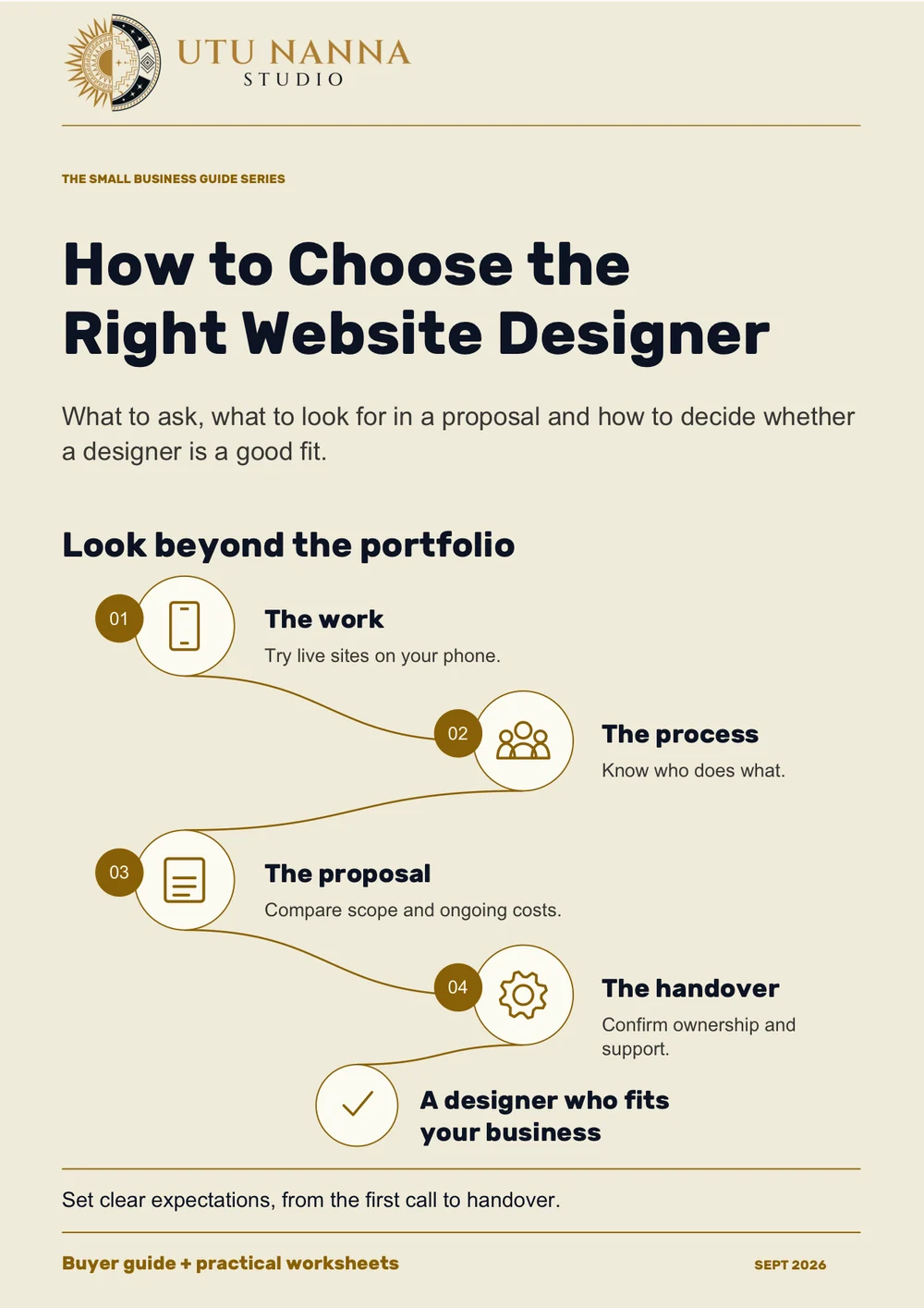
How to Choose the Right Website Designer
What to ask, what to look for in a proposal and how to decide whether a designer is a good fit.
Read the guide → 23 minutesPDF ↓
Work through your pages, content, budget and timings before you start talking about design.
24 pagesSeptember 2026 edition22 minutes to read
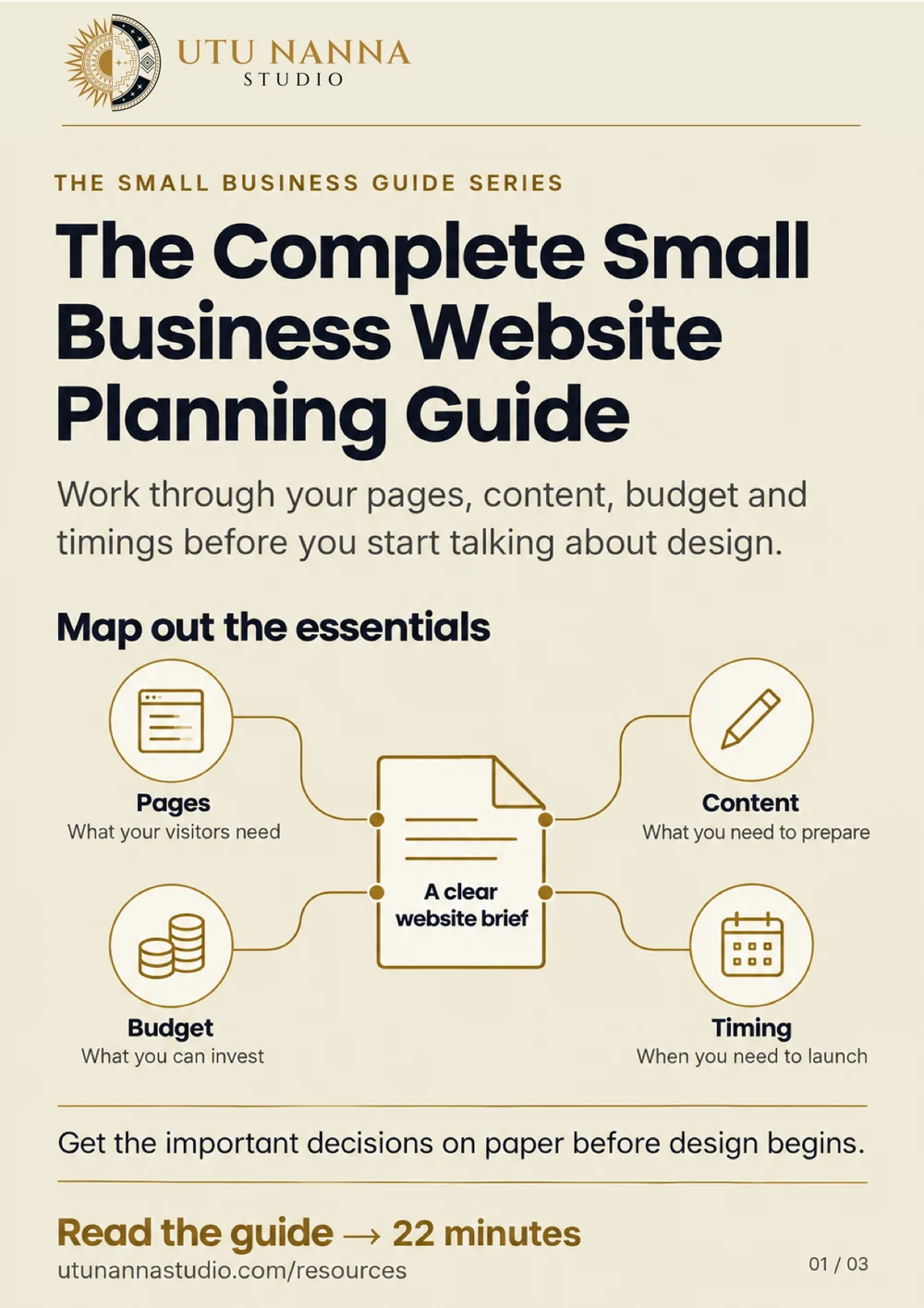
Free · PDF · 24 pages · 256 KB
The most expensive website problems usually begin before anyone opens a design file.
The business has not agreed on the audience. Nobody owns the copy. The page list is based on the old site because it is easier than asking what the new one needs. A platform is chosen before the team defines the functionality. Halfway through the project, a “small request” turns out to be a customer portal.
Planning prevents those surprises. It does not require a hundred-page specification or perfect answers. It creates enough shared direction for strategy, content, design, and development to move toward the same outcome.
This guide walks through the decisions a small business should make before building or redesigning a website. Work through it in order, document the answers, and you will have the foundation of a useful project brief. Most of the biggest website mistakes trace back to one of these decisions being skipped.
“We need a five-page website” is a scope, not a goal.
Before deciding what the site contains, define why the project exists. A website may need to:
Choose one primary purpose and a small number of supporting goals. When goals compete, establish the order. A site optimized to recruit technicians will make different homepage decisions from one focused on homeowners.
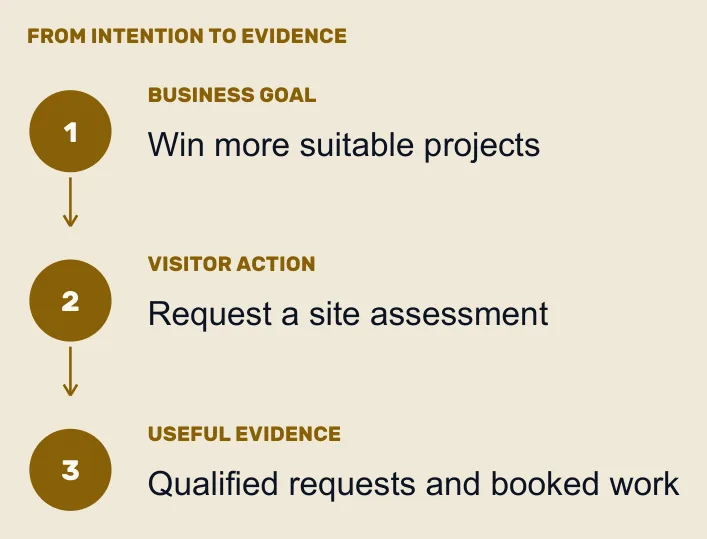
“Build awareness” is difficult to evaluate. Translate it into behavior:
You do not need to promise an arbitrary percentage before you have data. You do need to know what evidence would show the site is helping.
If an existing site is being replaced, capture current performance before launch:
This baseline protects valuable content and makes later comparison possible. If nobody has time to gather it, a free website audit of the current site covers the website half of the list.
“Everyone who needs our service” is not a useful audience definition.
Start with the customers the business is best equipped to serve. Consider industry, location, project size, urgency, budget, values, level of knowledge, and buying process.
For each priority audience, document:
Interview customers when possible. Ask what was happening before they contacted the business, what nearly stopped them, why they chose the company, and what changed afterward.
Also review sales-call notes, inquiry forms, support messages, testimonials, online reviews, search data, and competitor reviews. Repeated language is especially valuable because it reveals what customers notice without being prompted.
Avoid fictional personas filled with decorative details. Knowing that “Marketing Mary drinks oat-milk lattes” does not help unless that fact changes the website. Focus on decisions, needs, and behavior.
The website cannot create clarity the business has not reached.
For each core service or product, answer:
“Quality,” “integrity,” and “personal service” are good values. They are weak differentiators because most competitors claim them.
Look for differences with operational substance:
If the difference cannot be demonstrated, it should not carry the positioning.
Create a functionality list before choosing a platform. Separate requirements from preferences.
Possible functions include:
For each function, describe the complete workflow. A “booking calendar” is not just an embedded widget. Which services can be booked? How is availability set? Are deposits required? What reminders are sent? Where does customer information go? What happens when someone cancels? Bookings, calculators and comparison tools are custom tools with workflows of their own, and are best scoped separately from the pages around them.
Use three categories:
This prevents speculative features from consuming the launch budget.
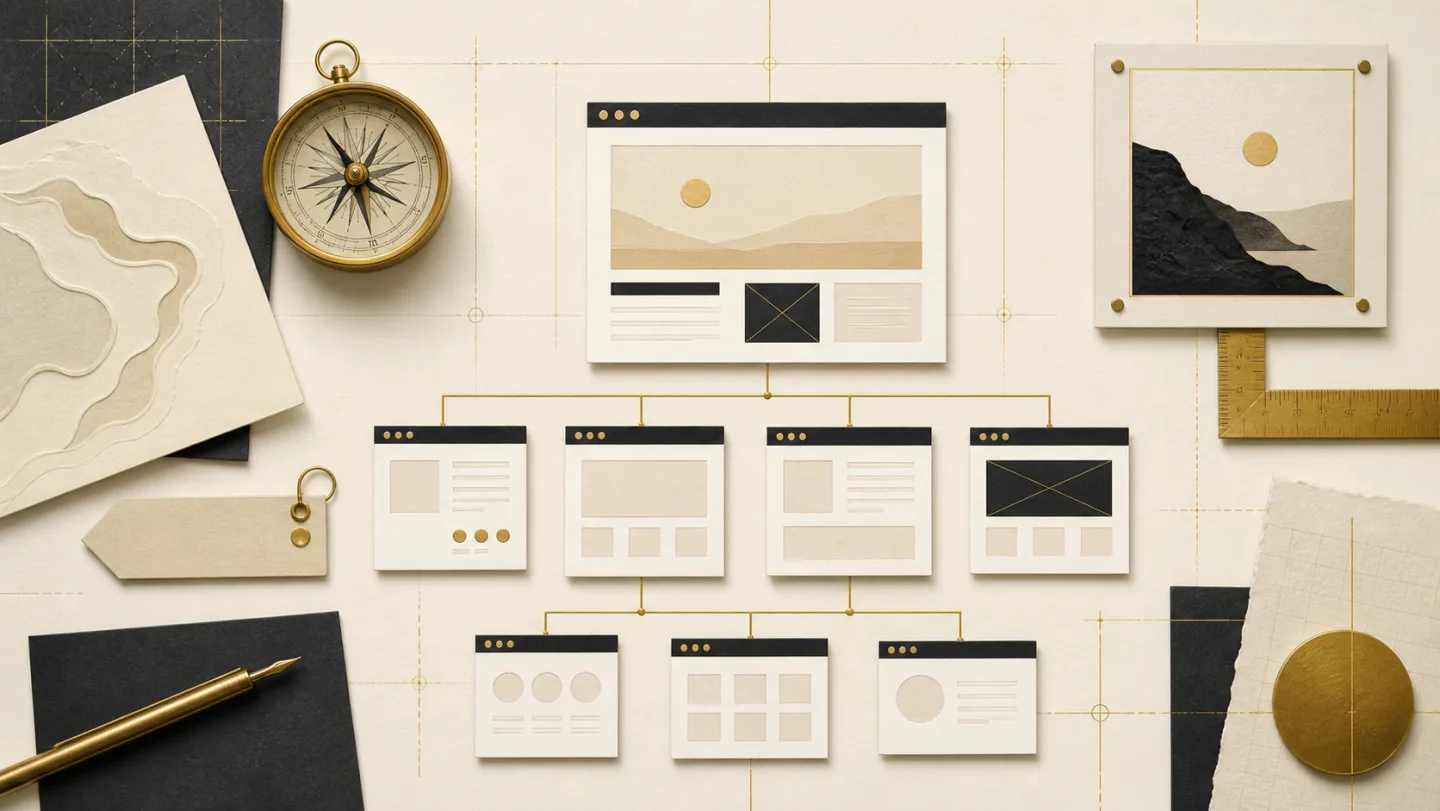
The sitemap is the list and hierarchy of pages. It should reflect how customers think, not the company's internal organization.
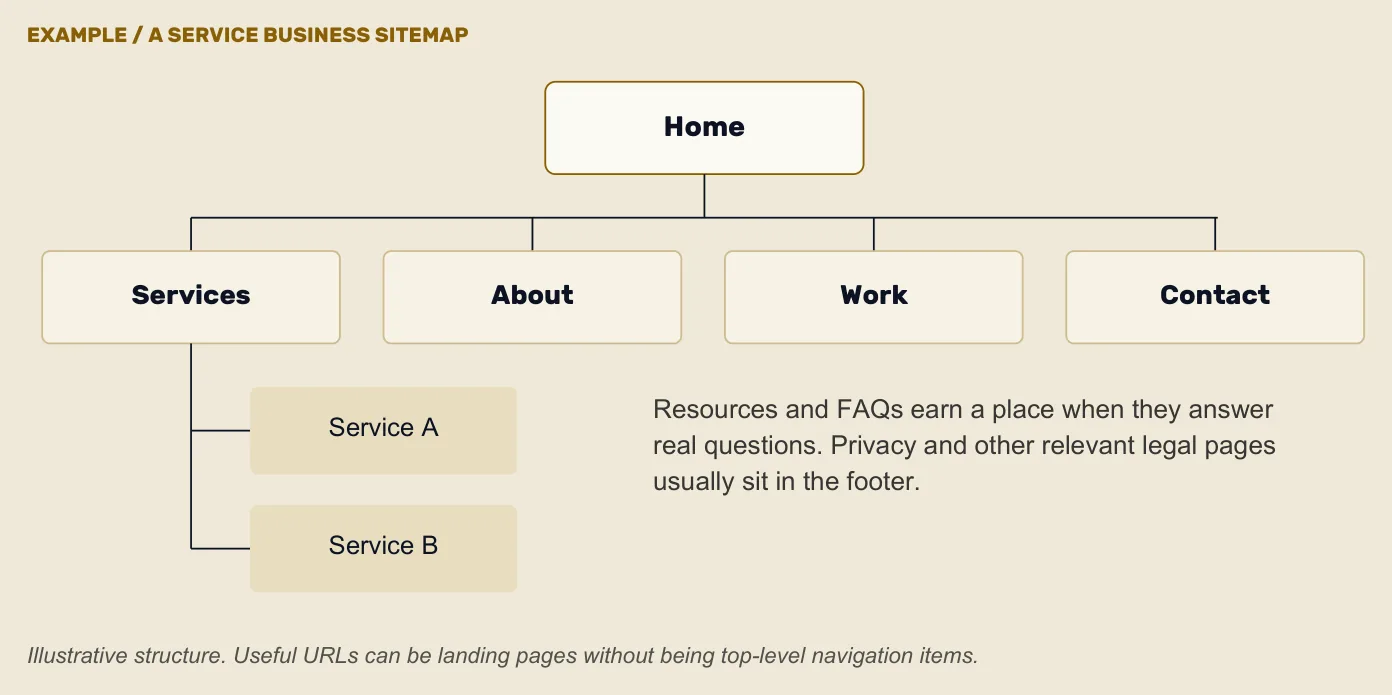
A straightforward service-business site might include:
That is a starting point, not a formula.
Write a one-sentence purpose for each planned page. For example:
The commercial landscaping page helps property managers understand our maintenance process and request a site assessment.
If two pages have the same purpose, combine them or distinguish them. If a page has five unrelated purposes, split or prioritize.
One Services page may be enough for a very focused company. Businesses with distinct offers usually benefit from individual pages because each service has different questions, proof, search intent, and calls to action. The studio's own services pages are built this way, one page per service.
Avoid creating dozens of nearly identical pages solely to target variations of a phrase. A page should earn its existence by helping a real visitor.
For each priority audience, map a likely path:
This reveals missing pages and unnecessary detours.
Design and content influence each other, but waiting until the layouts are finished to “drop in copy” creates predictable problems. The words are forced into arbitrary boxes, important explanations do not fit, and weak placeholder content survives into launch.
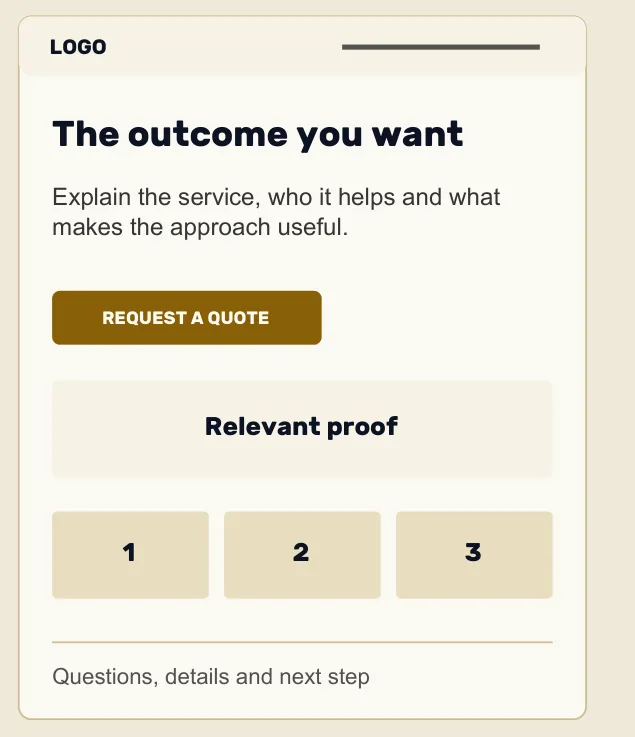
Create a content brief for every page:
Copywriters need access to substance. Collect:
Do not expect the writer to infer the business from an old homepage and a short questionnaire.
Longer is not automatically better. A page should be long enough to satisfy the visitor's important questions and support the desired action.
Use direct headings, concrete examples, short paragraphs, and useful lists. Explain specialized terms. Put the most important information before the company history.
Choose one primary action for each page. Make it specific and proportionate to the visitor's readiness. A first-time reader may need to view work or understand pricing before scheduling a call. This is where most sites lose the enquiry: why most small business websites never generate leads walks through the pattern.
Document what happens after the click. Confirmation messages, response times, scheduling steps, and lead routing are part of the customer experience.
A website project often exposes gaps in the brand system. The logo exists, but there is no consistent type, color, photography, or image style.
At minimum, prepare:
If the business name, positioning, identity, or audience is changing, resolve that work before building the website around the old version. A complete rebrand is not always necessary, but major brand uncertainty will cause expensive website revisions.
Photography requires scheduling, locations, people, releases, shot lists, editing, and weather contingencies. It should not be left until launch week.
Plan images around content needs:
Avoid creating a shot list made entirely of people pointing at laptops.

SEO begins before copy is written.
Research how customers search for the services, problems, and locations the business serves. Look at intent, not only search volume. A low-volume phrase used by a ready buyer may be more valuable than a broad phrase that attracts students or job seekers.
Assign a distinct role to important pages. Prevent several pages from competing for the same topic, and do not force unrelated keyword variations into one page.
For each search-focused page, plan:
Local businesses should align the website with an accurate Google Business Profile. Keep names, addresses, phone numbers, hours, categories, and service areas truthful and consistent. The profile, reviews, citations and location pages have a guide of their own: Local SEO for Small Businesses.
Create location content only where the business has a genuine relationship and can provide useful local information. Doorway pages that merely replace one city name with another do not serve customers.
During a redesign, inventory current URLs, backlinks, rankings, and traffic. Preserve useful URLs when possible. Where URLs must change, map each one to the closest relevant destination with a permanent redirect.
A good domain is easy to say, type, and remember. Prefer a clear name over a clever spelling that must be explained aloud.
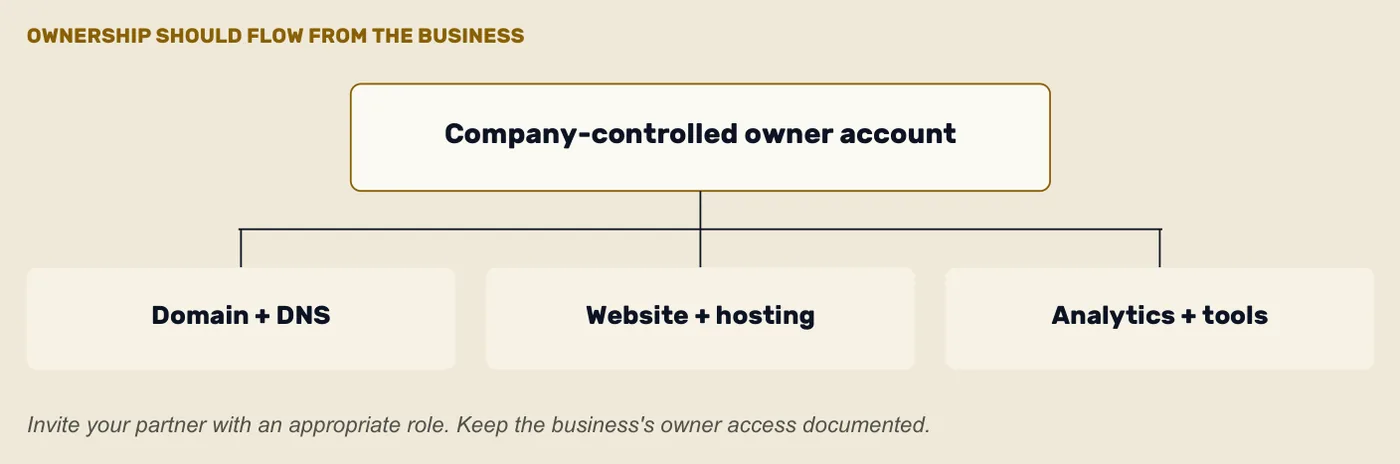
Before committing:
The business—not an employee, designer, or cousin who “knows computers”—should control the registrar account. Enable multifactor authentication, use durable contact information, turn on renewal, and document access securely.
Losing a domain can interrupt the website and email at the same time.
Popular does not mean appropriate for every project. Choose the platform after defining content, workflows, integrations, editing needs, security responsibilities, and budget.
Ask:
With a hosted builder, the company typically owns its content and account but uses the platform's proprietary system. A Shopify store is a common example: the business owns its catalogue and customer data while renting the platform. With an open-source content management system, the business may have more portability and more maintenance responsibility. Custom software offers control at the cost of ongoing development.
There is no universally superior model. There is only a better fit for a given business.
Hosting affects performance, reliability, backups, security support, and the ability to respond when something breaks. Ask about uptime practices, data-center locations, staging environments, restoration, support, traffic limits, and included security features.
Accessibility is a quality requirement, not a plugin added at launch.
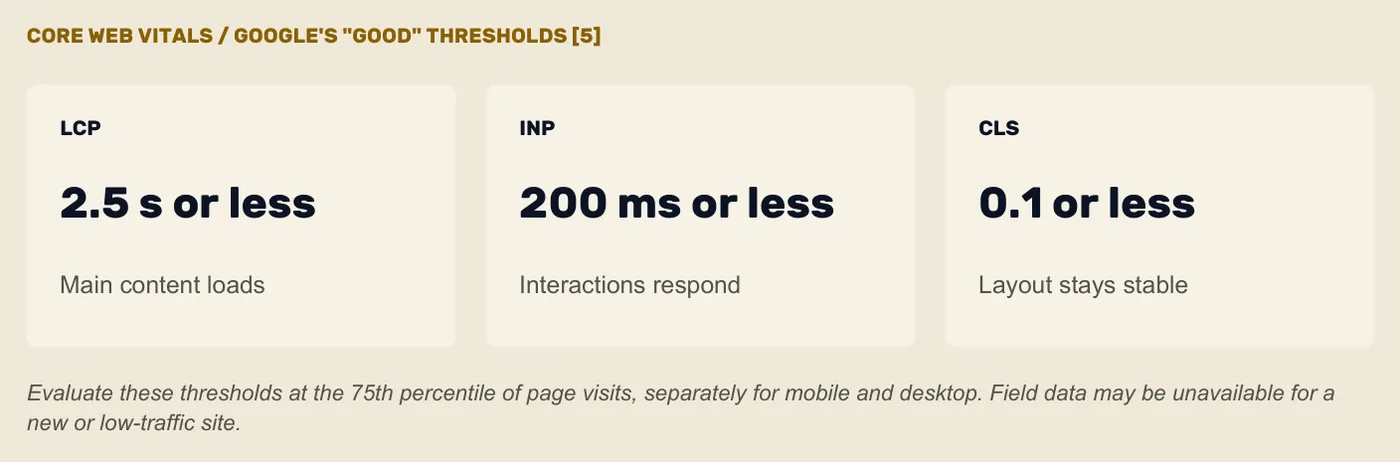
The project should account for:
Automated tools catch only part of the picture. Include manual keyboard testing and assistive-technology testing appropriate to the project. When legal obligations are a concern, obtain qualified advice for the business and jurisdiction. Publishing an accessibility statement that says what the site does and how to report a barrier is a reasonable expectation of any provider.
Decide what the business needs to learn after launch. Track actions tied to the website's goals, not every possible interaction.
Create a measurement plan that lists:
For example:
Question: Which service pages produce qualified inquiries?
Measurement: Successful inquiry submissions with the originating page and selected service.
Decision: Prioritize content and promotion for high-value services.
Document analytics, advertising, cookies, form data, email tools, and external embeds. Use appropriate privacy and legal guidance to decide what consent, disclosure, retention, and security measures apply.
Website cost depends on strategy, content, design, functionality, integrations, migration, testing, and support—not only page count. For the ranges small businesses are actually quoted, see how much a website really costs in 2026.
Create budget lines for:
If funds are limited, protect clarity, content, usability, accessibility, and reliable functionality. Phase advanced animation, large resource libraries, or speculative tools.
A smaller, complete website is more useful than a sprawling site filled with unfinished pages.
A professional small business website commonly takes weeks to months. The schedule depends on scope and how quickly the business can provide access, content, feedback, and approvals.
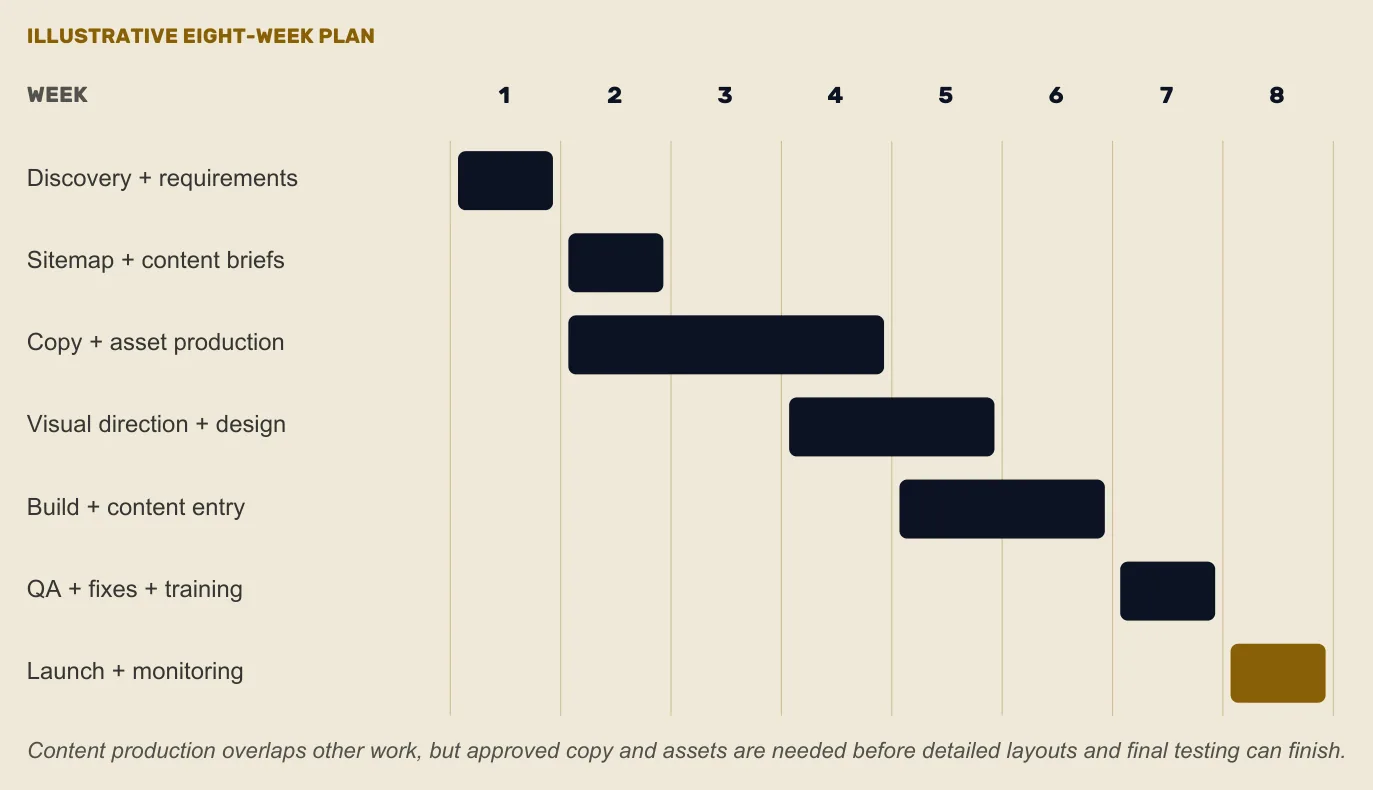
Plan milestones for:
Identify the final decision-maker. Consolidated feedback prevents the project from being pulled in several directions.
Content is the most common delay because it depends on busy people and hidden approvals. Assign owners and due dates at the beginning, and schedule interviews before calendars fill.

Review more than aesthetics. A portfolio shows what the provider made, not necessarily how the project was managed or whether the site achieved its purpose. The companion guide, How to Choose the Right Website Designer, covers this decision in full, with a scorecard for comparing proposals.
Ask potential partners about:
A strong partner should be able to explain why the recommended scope fits the goals. Be cautious with guarantees of rankings, instant results, or a process that skips learning about the business.
Create a launch checklist early. Include:
Choose a launch window when the right people are available to monitor and respond. Avoid preventable risk, such as launching an ecommerce redesign immediately before the company's largest annual sale.
The website needs an owner after the project team leaves. What happens after your website goes live covers the first weeks; a website care plan is one way to give the site a permanent owner.
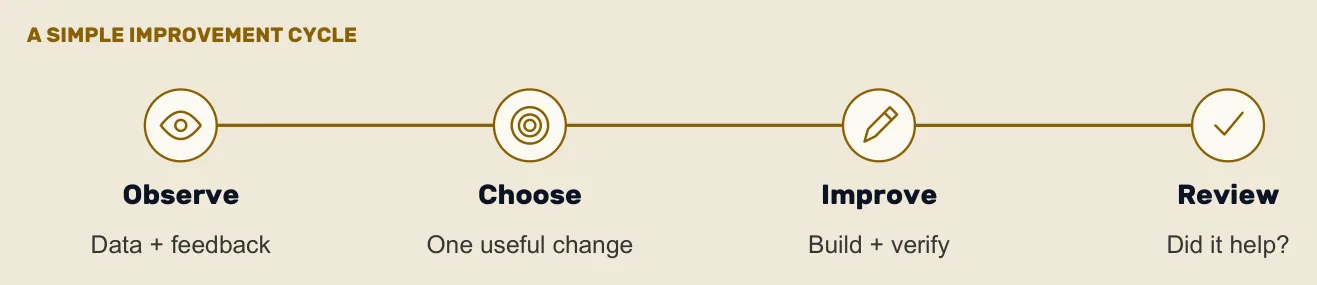
Define responsibility for:
Schedule monthly, quarterly, and annual tasks. The exact rhythm depends on the platform and business, but “only update it when someone complains” is not a plan.
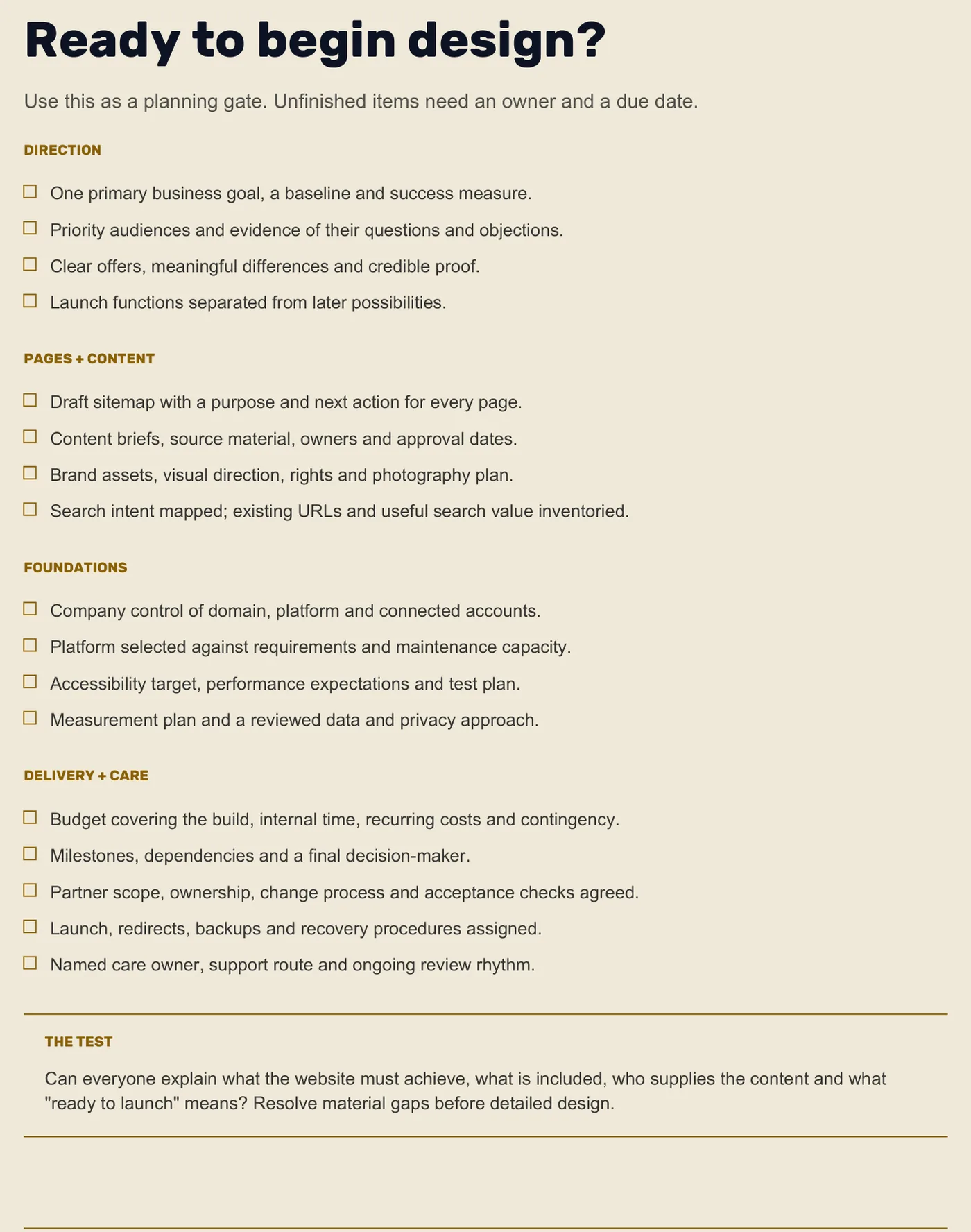
Before design begins, confirm that you have:
Enough to explain the business clearly and support distinct customer needs. A focused company may need five strong pages. A business with several services, locations, or audiences may need more. Page purpose matters more than count.
Develop structure and content together, then have substantive copy ready before detailed page design. Design needs to respond to the real message, and writing benefits from an agreed page purpose and hierarchy.
Prepare business goals, audience insight, service details, examples of proof, brand assets, technical requirements, account access, existing analytics, content owners, budget, timeline, and a clear decision-making process.
The best platform fits the site's editing, functionality, integration, ownership, performance, support, and maintenance needs. Choose after defining requirements, not from popularity alone.
From the beginning. Search intent influences the sitemap, page purpose, copy, internal links, technical structure, and redirect plan. Adding keywords after design cannot repair a site built around the wrong structure.
A good plan does not remove every surprise. It gives the project a way to evaluate surprises without losing direction.
Define the goal. Understand the customer. Clarify the offer. Plan the content and technology around what people need to do. Then choose the level of design and development that supports those decisions.
If you are planning a new small business website and want help turning these questions into a clear scope, start a conversation with Utu Nanna Studio or see how a website design project runs here. We can help you move from a collection of ideas to a website built around a real strategy.
The same guide, laid out for 24 pages of A4 with the worksheets you can print and write on. No email address, no sign-up.
Download the website planning PDF →PDF · 24 pages · 256 KB
The rest of the series
What to ask, what to look for in a proposal and how to decide whether a designer is a good fit.
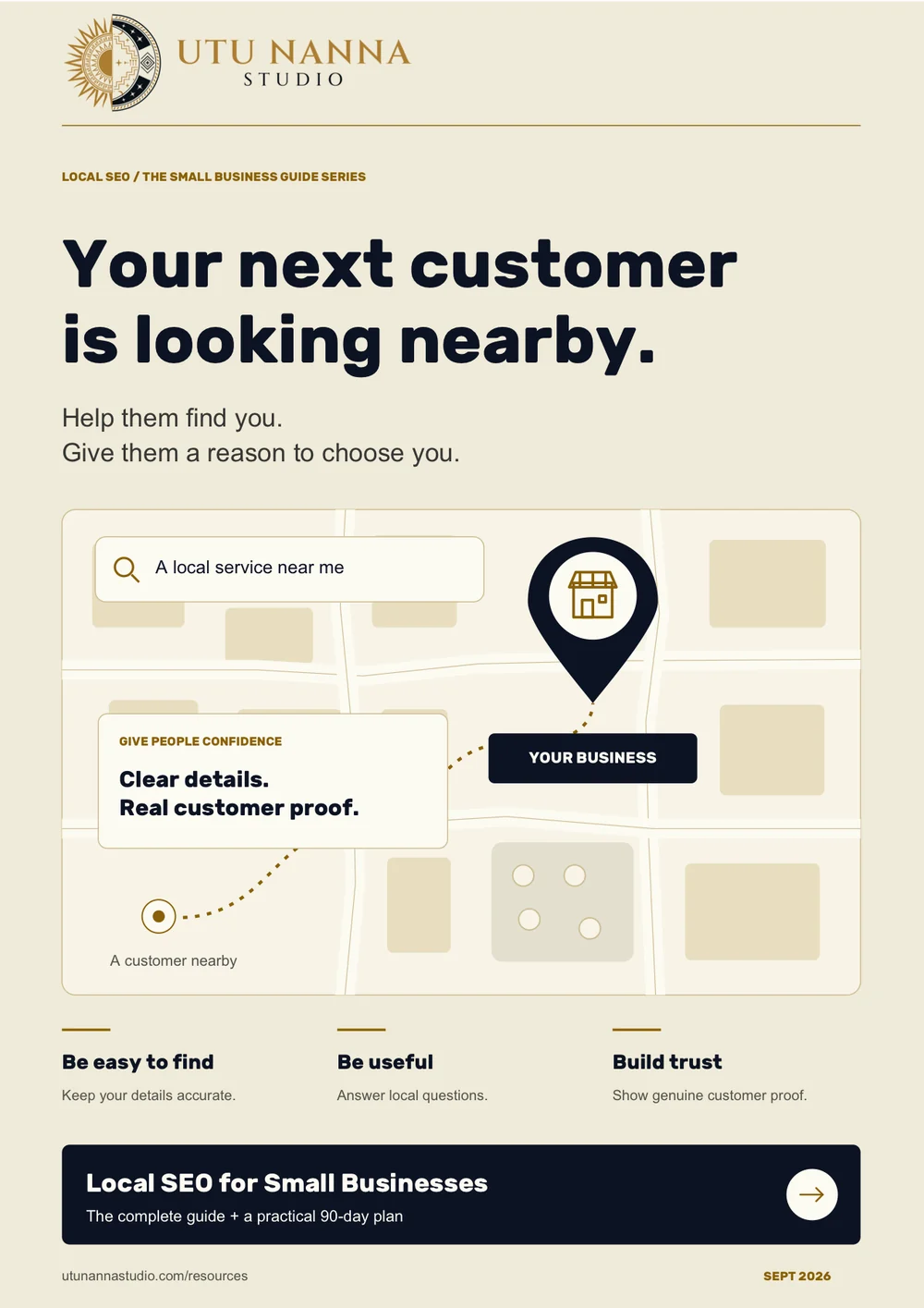
Local SEO helps nearby customers find and evaluate a business. This guide covers the systems that matter—without shortcuts, keyword stuffing, or fake location pages.
22 minutes · Written by Leah Norridge · Published
I score any site against the same 100 points and send you the findings, whether or not you ever hire me.
A few lines about your business are enough to start. We’ll talk through what you need, and I’ll put the scope and price in writing before any work begins.